Fetch and Display Multiple MySQL Records using PHP PDO
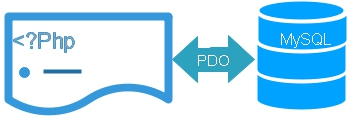
After creating the PDO connection as $dbo, run a SELECT query and loop through the returned rows. This example uses ORDER BY to display students from highest to lowest mark.
<?php
require 'config.php';

$sql="SELECT id,name,class,mark,gender
      FROM student
      ORDER BY mark DESC";

$stmt=$dbo->query($sql);

echo "<table class='table table-striped'>
<tr>
<th>ID</th>
<th>Name</th>
<th>Class</th>
<th>Mark</th>
<th>Gender</th>
</tr>";

foreach($stmt as $row){
    echo "<tr>";
    echo "<td>".(int)$row['id']."</td>";
    echo "<td>".htmlspecialchars(
        (string)$row['name'],
        ENT_QUOTES,
        'Windows-1252'
    )."</td>";
    echo "<td>".htmlspecialchars(
        (string)$row['class'],
        ENT_QUOTES,
        'Windows-1252'
    )."</td>";
    echo "<td>".(int)$row['mark']."</td>";
    echo "<td>".htmlspecialchars(
        (string)$row['gender'],
        ENT_QUOTES,
        'Windows-1252'
    )."</td>";
    echo "</tr>";
}

echo "</table>";
?>
The query above contains no external values, so query() is suitable. When a form, URL, session or another variable becomes part of the SQL condition, use a prepared statement.
PDO query() with a SELECT Statement Top ↑
query() can be used when the SQL statement is fixed and does not contain external input.
$sql="SELECT id,name,class,mark
      FROM student
      ORDER BY mark DESC";

$stmt=$dbo->query($sql);

foreach($stmt as $row){
    echo (int)$row['id'].' - ';

    echo htmlspecialchars(
        (string)$row['name'],
        ENT_QUOTES,
        'Windows-1252'
    );

    echo '<br>';
}
Using explicit column names makes it clear which fields are required and avoids retrieving unused table columns.
Display PDO Records using a Bootstrap Table Top ↑
Bootstrap classes can be applied to the HTML table without changing the database query.
$sql="SELECT id,name,class,mark
      FROM student
      ORDER BY id";

$stmt=$dbo->query($sql);

echo "<table class='table table-striped'>
<tr>
<th>ID</th>
<th>Name</th>
<th>Class</th>
<th>Mark</th>
</tr>";

foreach($stmt as $row){
    echo "<tr>";
    echo "<td>".(int)$row['id']."</td>";

    echo "<td>".htmlspecialchars(
        (string)$row['name'],
        ENT_QUOTES,
        'Windows-1252'
    )."</td>";

    echo "<td>".htmlspecialchars(
        (string)$row['class'],
        ENT_QUOTES,
        'Windows-1252'
    )."</td>";

    echo "<td>".(int)$row['mark']."</td>";
    echo "</tr>";
}

echo "</table>";
Format Date Values in the SELECT Query Top ↑
MySQL DATE_FORMAT() can format a date or datetime value as part of the SELECT result.
SELECT DATE_FORMAT(
    dt,
    '%m/%d/%Y %T'
) AS my_date
FROM dt_tb
Parameterized SELECT Query using PDO Top ↑
When a variable is used in a WHERE condition, keep its value separate from the SQL statement by using a prepared statement and placeholder.
Avoid writing:
$sql="SELECT id,name,class,mark
      FROM student
      WHERE class='$class'";
Use a placeholder instead:
$sql="SELECT id,name,class,mark
      FROM student
      WHERE class=:class";

$stmt=$dbo->prepare($sql);

$stmt->bindValue(
    ':class',
    $class,
    PDO::PARAM_STR
);

$stmt->execute();
This keeps supplied data separate from the SQL structure.
PDO Prepared Statements and SQL InjectionUse a String Parameter with PDO Top ↑
This query returns students belonging to class Three.
require 'config.php';

$class='Three';

$sql="SELECT id,name,class,mark
      FROM student
      WHERE class=:class
      ORDER BY name";

$stmt=$dbo->prepare($sql);

$stmt->bindValue(
    ':class',
    $class,
    PDO::PARAM_STR
);

$stmt->execute();

while($row=$stmt->fetch(PDO::FETCH_ASSOC)){
    echo (int)$row['id'].' - ';

    echo htmlspecialchars(
        (string)$row['name'],
        ENT_QUOTES,
        'Windows-1252'
    ).'<br>';
}
Use Multiple Parameters in a PDO Query Top ↑
More than one placeholder can be used in the same query. Here the SQL LIKE operator searches for part of a student name while the class is matched separately.
$class='Three';
$name='%Max%';

$sql="SELECT id,name,class,mark
      FROM student
      WHERE class=:class
      AND name LIKE :name";

$stmt=$dbo->prepare($sql);

$stmt->bindValue(
    ':class',
    $class,
    PDO::PARAM_STR
);

$stmt->bindValue(
    ':name',
    $name,
    PDO::PARAM_STR
);

$stmt->execute();

while($row=$stmt->fetch(PDO::FETCH_ASSOC)){
    echo (int)$row['id'].' - ';

    echo htmlspecialchars(
        (string)$row['name'],
        ENT_QUOTES,
        'Windows-1252'
    ).'<br>';
}
Example result:
ID   Name       Class   Mark
2    Max Ruin   Three   85
Use an Integer Parameter with PDO Top ↑
For an integer column such as the student ID, bind the value using PDO::PARAM_INT.
$id=3;

$sql="SELECT id,name,class
      FROM student
      WHERE id=:id";

$stmt=$dbo->prepare($sql);

$stmt->bindValue(
    ':id',
    $id,
    PDO::PARAM_INT
);

$stmt->execute();

$row=$stmt->fetch(PDO::FETCH_ASSOC);

if($row){
    echo 'ID: '.(int)$row['id'].'<br>';

    echo 'Name: '.htmlspecialchars(
        (string)$row['name'],
        ENT_QUOTES,
        'Windows-1252'
    ).'<br>';

    echo 'Class: '.htmlspecialchars(
        (string)$row['class'],
        ENT_QUOTES,
        'Windows-1252'
    );
}
Example output:
ID: 3
Name: Arnold
Class: Three
Integer Value Received from the URL Top ↑
When the ID comes from a query string, validate it before binding it to the prepared statement.
$id=filter_input(
    INPUT_GET,
    'id',
    FILTER_VALIDATE_INT,
    [
        'options' => [
            'min_range' => 1
        ]
    ]
);

if($id===false || $id===null){
    exit('Invalid ID.');
}
Reuse One Prepared Statement for Multiple Values Top ↑
A prepared statement can be created once and executed repeatedly when only the supplied value changes.
$sql="SELECT id,name,class,mark,gender
      FROM student
      WHERE name=:name";

$stmt=$dbo->prepare($sql);

$students=[
    'John Deo',
    'Max Ruin',
    'Arnold'
];

foreach($students as $name){
    $stmt->bindValue(
        ':name',
        $name,
        PDO::PARAM_STR
    );

    $stmt->execute();

    $row=$stmt->fetch(PDO::FETCH_ASSOC);

    if($row){
        echo (int)$row['id'].' - ';

        echo htmlspecialchars(
            (string)$row['name'],
            ENT_QUOTES,
            'Windows-1252'
        ).'<br>';
    }
}
This avoids preparing the same SQL statement again for every student.
Prepared Query using the pdo_admin Table Top ↑
The sample pdo_admin table can also be filtered using a named parameter. Password fields are deliberately not displayed in this listing.
<?php
require 'config.php';

$name='Admin';

$sql="SELECT id,userid,name,status
      FROM pdo_admin
      WHERE name=:name
      ORDER BY id";

$stmt=$dbo->prepare($sql);

$stmt->bindValue(
    ':name',
    $name,
    PDO::PARAM_STR
);

$stmt->execute();

echo "<table class='table table-striped'>
<tr>
<th>ID</th>
<th>User ID</th>
<th>Name</th>
<th>Status</th>
</tr>";

while($row=$stmt->fetch(PDO::FETCH_ASSOC)){
    echo "<tr>";
    echo "<td>".(int)$row['id']."</td>";

    echo "<td>".htmlspecialchars(
        (string)$row['userid'],
        ENT_QUOTES,
        'Windows-1252'
    )."</td>";

    echo "<td>".htmlspecialchars(
        (string)$row['name'],
        ENT_QUOTES,
        'Windows-1252'
    )."</td>";

    echo "<td>".htmlspecialchars(
        (string)$row['status'],
        ENT_QUOTES,
        'Windows-1252'
    )."</td>";

    echo "</tr>";
}

echo "</table>";
?>
Paging Large Sets of Database Records Top ↑
Displaying every row on one page becomes inefficient when a table contains hundreds or thousands of records. Pagination fetches only the records needed for the current page.
At SQL level, paging commonly uses the LIMIT clause with an offset. The PDO paging tutorial shows how to calculate and bind these values safely.
PDO Paging of Database RecordsPDO SELECT and Parameterized Query Videos Top ↑

Common PDO SELECT Problems Top ↑
Using query() with External Input Top ↑
Use prepared statements when external values become part of a SQL condition. A static SELECT with no external values can use query().
Using SELECT * Everywhere Top ↑
Select the columns the page actually requires rather than retrieving every column automatically.
Displaying Database Strings Directly Top ↑
Escape database strings before placing them into HTML output. This protects the HTML output context and is separate from SQL parameter binding.
Fetching All Rows when They Are Not Needed Top ↑
If the result can be processed one record at a time, repeated fetch() calls avoid building an additional array containing the complete result set.
Displaying Too Many Records on One Page Top ↑
Use pagination for large result sets instead of loading and displaying every database row at once.
Related PHP PDO Tutorials Top ↑
PDO Connection PDO fetch() PDO rowCount()PDO Insert PDO Paging PDO and SQL Injection
Download the PDO sample scripts from the main PDO tutorial.
Sample Student Table SQL DumpFrequently Asked Questions Top ↑
Run a SELECT statement using the PDO connection and iterate through the returned PDOStatement, or repeatedly call fetch() to process rows one at a time.
query() is suitable for a static SQL statement that does not contain external or variable values. Use prepare() when values need to be supplied to the query.
Escape string values with htmlspecialchars() before inserting them into HTML. SQL parameter binding and HTML output escaping protect different contexts.
Create a placeholder such as :class and bind the value using bindValue() with PDO::PARAM_STR before executing the statement.
Bind the value using PDO::PARAM_INT. If it comes from a URL or form, validate the value first.
Yes. Prepare the SQL once and execute it repeatedly with different values when the query structure remains unchanged.
Use pagination so each request retrieves only a limited group of records instead of displaying the complete table on one page.
PDO Connection PDO fetch()

Subhendu Mohapatra
Author & Instructor at plus2net
I write and maintain practical tutorials on Python, PHP, SQL, JavaScript, HTML, jQuery, and web development at plus2net. The tutorials focus on clear explanations, working examples, and code that readers can test and adapt while learning.


Subscribe to our YouTube Channel here

