Tkinter Restaurant Invoice with MySQL - Version 3
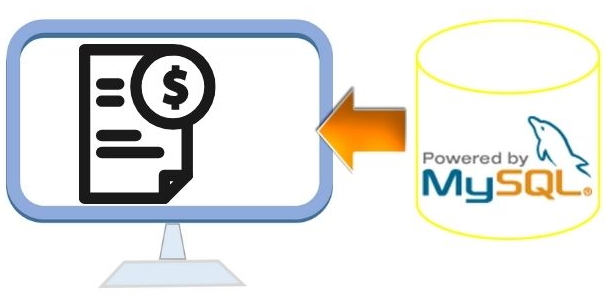
In Restaurant Management Version 2, Python loads available menu products from MySQL and creates the Tkinter menu dynamically. Version 3 adds the sales and invoice workflow.
When the customer order is confirmed, SQLAlchemy with MySQL stores one bill header in plus2_bill and all ordered products in plus2_sell. The generated bill number connects the header and detail rows. The saved sale can then be displayed as an invoice in a new Tkinter window.
MySQL products
      |
      v
Dynamic Tkinter menu
      |
      v
Select quantities
      |
      v
Preview bill in Treeview
      |
      v
Confirm Sale
      |
      +--> plus2_bill
      |      |
      |      +--> bill_no
      |              |
      |              v
      +--------> plus2_sell
                     |
                     v
Open Invoice- Features Added in Version 3
- Bill and Sales Tables
- Database Engine
- Load Available Products
- Preview the Bill
- Confirm the Sale in One Transaction
- Generate the Bill Number
- Open the Saved Invoice
- Reset an Unsaved Order
- Complete Main Program
- my_invoice.py
- SQL Tables and Sample Product Data
- Generate Sample Sales Data
- Useful Production Improvements
- FAQs
Features Added in Restaurant Management Version 3 🔝
- Continue using the database-driven menu created in Version 2.
- Preview selected products in a Treeview before saving the sale.
- Calculate subtotal, sample tax and final total using Python
Decimal. - Insert the bill header into
plus2_bill. - Use the database-generated
bill_nofor all related sale-detail rows. - Insert all ordered products into
plus2_sell. - Store the bill header and product details inside one transaction.
- Enable the invoice button only after a sale has been saved successfully.
- Read the stored bill back from MySQL and display it in a separate invoice window.
- Keep Reset as a separate action for clearing an unsaved order.
Bill Header and Product Sale Tables 🔝
The project uses two tables for each completed sale.
plus2_bill
One row represents one bill.
| Column | Purpose |
|---|---|
bill_no | Unique bill number generated by MySQL. |
bill_date | Date of the sale. |
total | Subtotal before tax. |
tax | Tax amount. |
plus2_sell
One row represents one product sold on a bill.
| Column | Purpose |
|---|---|
s_id | Unique sale-detail row ID. |
p_id | Product ID. |
price | Unit price used for this sale. |
quantity | Quantity sold. |
bill_no | Connects this row to plus2_bill. |
bill_date | Date copied to the detail row for this tutorial project. |
The bill number creates a header-detail relationship:
plus2_bill
bill_no = 105
     |
     +--------------------+
     |                    |
     v                    v
plus2_sell            plus2_sell
bill_no=105           bill_no=105
p_id=3                p_id=8
qty=2                 qty=1
Create the SQLAlchemy Database Engine 🔝
Keep the connection configuration in my_connect.py. See MySQL connection strings and the SQLAlchemy MySQL tutorial for more details.
my_connect.py
from sqlalchemy import create_engine

engine=create_engine('mysql+mysqldb://root:pw@localhost/db_name')
Only create_engine is required in this file. SQL statements are created with text() in the Python files where the queries are actually used.
Load Available Restaurant Products 🔝
As in Version 2, available products from the selected category are loaded into a Python dictionary.
query=text('''SELECT p_id,p_name,unit,price,p_cat
FROM plus2_products
WHERE available=:available AND p_cat=:cat
ORDER BY p_id''')
The database product ID becomes the dictionary key:
products[row['p_id']]={
    'name':row['p_name'],
    'unit':row['unit'],
    'price':Decimal(str(row['price']))
}
This ID later becomes the p_id stored in plus2_sell.
Preview the Bill Before Saving 🔝
The Get Bill button does not modify the database. It reads the current quantities and creates a preview.
def collect_order():
    lines=[]
    subtotal=Decimal('0.00')

    for p_id,item in products.items():
        qty=quantity_vars[p_id].get()

        if qty>0:
            line_total=(item['price']*qty).quantize(MONEY,rounding=ROUND_HALF_UP)
            subtotal+=line_total

            lines.append({
                'p_id':p_id,
                'name':item['name'],
                'price':item['price'],
                'quantity':qty,
                'line_total':line_total
            })

    return lines,subtotal.quantize(MONEY,rounding=ROUND_HALF_UP)
The use of named dictionary fields makes each sale line easier to understand than positional values such as:
my_menu[i][0]
my_menu[i][1]
my_menu[i][2]
Confirm the Sale in One Database Transaction 🔝
The most important change in Version 3 is the transaction.
The old program first inserted into plus2_bill and later inserted into plus2_sell. If the second operation failed, an incomplete bill could remain in the database.
Use:
with engine.begin() as conn:
    result=conn.execute(bill_sql,bill_data)
    bill_no=result.lastrowid

    conn.execute(sell_sql,sale_rows)
If an exception occurs before the block completes, the transaction is rolled back.
Insert the Bill Header
bill_sql=text('''INSERT INTO plus2_bill
(total,tax,bill_date)
VALUES (:total,:tax,:bill_date)''')
Insert the Product Details
sell_sql=text('''INSERT INTO plus2_sell
(p_id,price,quantity,bill_no,bill_date)
VALUES (:p_id,:price,:quantity,:bill_no,:bill_date)''')
SQLAlchemy can execute the statement once using a list of dictionaries for all the sale-detail rows.
Use the Database-Generated Bill Number 🔝
bill_no is an AUTO_INCREMENT primary key. After inserting the bill header:
result=conn.execute(bill_sql,bill_data)
bill_no=result.lastrowid
That number is added to every detail dictionary:
for row in sale_rows:
    row['bill_no']=bill_no
There is no need to calculate a new bill number in Python.
Open the Saved Invoice 🔝
After a successful sale, the generated bill number is saved in last_bill_no.
last_bill_no=bill_no
invoice_btn.config(state=tk.NORMAL)
The invoice button then loads the saved database records:
def open_last_invoice():
    if last_bill_no:
        my_invoice(root,last_bill_no)
This is useful because the invoice is generated from the **saved database data**, not from temporary GUI values.
Reset an Unsaved Order 🔝
The old program used my_reset() both to save the sale and reset the interface. These are two different actions.
The revised application has:
Get Bill
Confirm Sale
Reset
Reset only clears the current unsaved selections:
for qty_var in quantity_vars.values():
    qty_var.set(0)
It does not insert anything into MySQL.
Complete Restaurant Management Version 3 Program 🔝
import tkinter as tk
from tkinter import ttk
from datetime import date
from decimal import Decimal, ROUND_HALF_UP
from sqlalchemy import text
from sqlalchemy.exc import SQLAlchemyError
from my_connect import engine
from my_invoice import my_invoice

MENU_COLUMNS=4
MONEY=Decimal('0.01')
TAX_RATE=Decimal('0.10')

products={}
quantity_vars={}
last_bill_no=None

root=tk.Tk()
root.geometry('1100x680')
root.minsize(950,580)
root.title('Restaurant Management V-3 - plus2net')

root.columnconfigure(0,weight=3)
root.columnconfigure(1,weight=2)
root.rowconfigure(0,weight=1)

menu_frame=ttk.Frame(root,padding=10)
menu_frame.grid(row=0,column=0,sticky='nsew')

bill_frame=ttk.Frame(root,padding=10)
bill_frame.grid(row=0,column=1,sticky='nsew')
bill_frame.rowconfigure(1,weight=1)
bill_frame.columnconfigure(0,weight=1)

ttk.Label(menu_frame,text='Restaurant Menu',font=('Times',22,'bold')).grid(row=0,column=0,sticky='w',pady=(0,10))

menu_items_frame=ttk.Frame(menu_frame)
menu_items_frame.grid(row=1,column=0,sticky='nsew')

for column in range(MENU_COLUMNS):
    menu_items_frame.columnconfigure(column,weight=1)

controls=ttk.Frame(menu_frame,padding=(0,15))
controls.grid(row=2,column=0,sticky='ew')

category_var=tk.IntVar(value=1)
status_var=tk.StringVar()

ttk.Label(bill_frame,text='Current Bill',font=('Times',22,'bold')).grid(row=0,column=0,sticky='w',pady=(0,8))

tree=ttk.Treeview(bill_frame,columns=('item','price','qty','total'),show='headings',height=12)
tree.grid(row=1,column=0,sticky='nsew')

ys=ttk.Scrollbar(bill_frame,orient='vertical',command=tree.yview)
ys.grid(row=1,column=1,sticky='ns')
tree.configure(yscrollcommand=ys.set)

tree.heading('item',text='Item')
tree.heading('price',text='Price')
tree.heading('qty',text='Qty')
tree.heading('total',text='Total')

tree.column('item',width=155,anchor='w')
tree.column('price',width=75,anchor='e')
tree.column('qty',width=55,anchor='center')
tree.column('total',width=90,anchor='e')

subtotal_var=tk.StringVar(value='0.00')
tax_var=tk.StringVar(value='0.00')
total_var=tk.StringVar(value='0.00')

totals_frame=ttk.Frame(bill_frame,padding=(0,12))
totals_frame.grid(row=2,column=0,sticky='e')

ttk.Label(totals_frame,text='Subtotal:').grid(row=0,column=0,sticky='e',padx=5)
ttk.Label(totals_frame,textvariable=subtotal_var).grid(row=0,column=1,sticky='e')

ttk.Label(totals_frame,text='Tax 10%:').grid(row=1,column=0,sticky='e',padx=5)
ttk.Label(totals_frame,textvariable=tax_var).grid(row=1,column=1,sticky='e')

ttk.Label(totals_frame,text='Final Total:',font=('Times',16,'bold')).grid(row=2,column=0,sticky='e',padx=5,pady=6)
ttk.Label(totals_frame,textvariable=total_var,font=('Times',16,'bold')).grid(row=2,column=1,sticky='e')

ttk.Label(bill_frame,textvariable=status_var).grid(row=3,column=0,sticky='w')

def clear_preview():
    for row in tree.get_children():
        tree.delete(row)

    subtotal_var.set('0.00')
    tax_var.set('0.00')
    total_var.set('0.00')

def show_items(cat):
    global products,quantity_vars

    clear_preview()

    for widget in menu_items_frame.winfo_children():
        widget.destroy()

    products={}
    quantity_vars={}
    category_var.set(cat)

    query=text('''SELECT p_id,p_name,unit,price,p_cat
    FROM plus2_products
    WHERE available=:available AND p_cat=:cat
    ORDER BY p_id''')

    try:
        with engine.connect() as conn:
            rows=conn.execute(query,{'available':1,'cat':cat}).mappings().all()
    except SQLAlchemyError as e:
        print(e)
        status_var.set('Unable to load menu items.')
        return

    for row in rows:
        products[row['p_id']]={
            'name':row['p_name'],
            'unit':row['unit'],
            'price':Decimal(str(row['price']))
        }

    for index,(p_id,item) in enumerate(products.items()):
        grid_row=index//MENU_COLUMNS
        grid_column=index%MENU_COLUMNS

        quantity_vars[p_id]=tk.IntVar(value=0)

        card=ttk.Frame(menu_items_frame,padding=8,relief='ridge')
        card.grid(row=grid_row,column=grid_column,padx=6,pady=6,sticky='nsew')

        ttk.Label(card,text=item['name'],font=('Times',12,'bold')).grid(row=0,column=0,pady=3)
        ttk.Label(card,text=f"{item['unit']} | {item['price']:.2f}").grid(row=1,column=0,pady=3)

        spin=tk.Spinbox(card,from_=0,to=10,width=4,textvariable=quantity_vars[p_id],state='readonly')
        spin.grid(row=2,column=0,pady=5)

    status_var.set(f'Products loaded: {len(products)}')

def collect_order():
    lines=[]
    subtotal=Decimal('0.00')

    for p_id,item in products.items():
        qty=quantity_vars[p_id].get()

        if qty>0:
            line_total=(item['price']*qty).quantize(MONEY,rounding=ROUND_HALF_UP)
            subtotal+=line_total
            lines.append({
                'p_id':p_id,
                'name':item['name'],
                'price':item['price'],
                'quantity':qty,
                'line_total':line_total
            })

    return lines,subtotal.quantize(MONEY,rounding=ROUND_HALF_UP)

def render_bill(lines,subtotal):
    clear_preview()

    for line in lines:
        tree.insert('',tk.END,values=(line['name'],f"{line['price']:.2f}",line['quantity'],f"{line['line_total']:.2f}"))

    tax=(subtotal*TAX_RATE).quantize(MONEY,rounding=ROUND_HALF_UP)
    final_total=(subtotal+tax).quantize(MONEY,rounding=ROUND_HALF_UP)

    subtotal_var.set(f'{subtotal:.2f}')
    tax_var.set(f'{tax:.2f}')
    total_var.set(f'{final_total:.2f}')

    return tax,final_total

def my_bill():
    lines,subtotal=collect_order()

    if not lines:
        clear_preview()
        status_var.set('Select at least one menu quantity.')
        return

    render_bill(lines,subtotal)
    status_var.set('Bill preview ready. Confirm the sale to save it.')

def confirm_sale():
    global last_bill_no

    lines,subtotal=collect_order()

    if not lines:
        status_var.set('Select at least one product before confirming.')
        return

    tax,final_total=render_bill(lines,subtotal)
    bill_date=date.today()

    bill_sql=text('''INSERT INTO plus2_bill
    (total,tax,bill_date)
    VALUES (:total,:tax,:bill_date)''')

    sell_sql=text('''INSERT INTO plus2_sell
    (p_id,price,quantity,bill_no,bill_date)
    VALUES (:p_id,:price,:quantity,:bill_no,:bill_date)''')

    bill_data={'total':subtotal,'tax':tax,'bill_date':bill_date}

    sale_rows=[
        {
            'p_id':line['p_id'],
            'price':line['price'],
            'quantity':line['quantity'],
            'bill_date':bill_date
        }
        for line in lines
    ]

    try:
        with engine.begin() as conn:
            result=conn.execute(bill_sql,bill_data)
            bill_no=result.lastrowid

            for row in sale_rows:
                row['bill_no']=bill_no

            conn.execute(sell_sql,sale_rows)

    except SQLAlchemyError as e:
        print(e)
        status_var.set('Unable to save the sale.')
        return

    last_bill_no=bill_no
    invoice_btn.config(state=tk.NORMAL)

    for qty_var in quantity_vars.values():
        qty_var.set(0)

    clear_preview()
    status_var.set(f'Sale saved. Bill No: {bill_no}, Total with tax: {final_total:.2f}')

def reset_order():
    for qty_var in quantity_vars.values():
        qty_var.set(0)

    clear_preview()
    status_var.set('Current unsaved order cleared.')

def open_last_invoice():
    if last_bill_no is not None:
        my_invoice(root,last_bill_no)

ttk.Radiobutton(controls,text='Breakfast',variable=category_var,value=1,command=lambda:show_items(1)).grid(row=0,column=0,padx=5)
ttk.Radiobutton(controls,text='Lunch',variable=category_var,value=2,command=lambda:show_items(2)).grid(row=0,column=1,padx=5)
ttk.Radiobutton(controls,text='Dinner',variable=category_var,value=3,command=lambda:show_items(3)).grid(row=0,column=2,padx=5)

ttk.Button(controls,text='Get Bill',command=my_bill).grid(row=0,column=3,padx=10)
ttk.Button(controls,text='Confirm Sale',command=confirm_sale).grid(row=0,column=4,padx=5)
ttk.Button(controls,text='Reset',command=reset_order).grid(row=0,column=5,padx=5)

invoice_btn=ttk.Button(bill_frame,text='Open Last Invoice',state=tk.DISABLED,command=open_last_invoice)
invoice_btn.grid(row=4,column=0,sticky='w',pady=8)

show_items(1)
root.mainloop()
my_invoice.py - Display the Saved Invoice 🔝
The invoice module receives only the parent Tkinter window and the bill number.
It retrieves the bill header and product details from MySQL using short-lived SQLAlchemy connections.
import tkinter as tk
from tkinter import ttk, messagebox
from decimal import Decimal, ROUND_HALF_UP
from sqlalchemy import text
from sqlalchemy.exc import SQLAlchemyError
from my_connect import engine

MONEY=Decimal('0.01')

def my_invoice(parent,bill_no):
    bill_sql=text('''SELECT bill_no,bill_date,total,tax
    FROM plus2_bill
    WHERE bill_no=:bill_no''')

    line_sql=text('''SELECT p.p_name,s.p_id,s.price,s.quantity
    FROM plus2_sell AS s
    INNER JOIN plus2_products AS p ON p.p_id=s.p_id
    WHERE s.bill_no=:bill_no
    ORDER BY s.s_id''')

    try:
        with engine.connect() as conn:
            bill=conn.execute(bill_sql,{'bill_no':bill_no}).mappings().first()

            if bill:
                lines=conn.execute(line_sql,{'bill_no':bill_no}).mappings().all()
            else:
                lines=[]

    except SQLAlchemyError as e:
        print(e)
        messagebox.showerror('Database Error','Unable to load the invoice.',parent=parent)
        return

    if not bill:
        messagebox.showwarning('Invoice','Bill number was not found.',parent=parent)
        return

    window=tk.Toplevel(parent)
    window.geometry('760x520')
    window.title(f'Invoice #{bill_no} - plus2net')
    window.columnconfigure(0,weight=1)
    window.rowconfigure(2,weight=1)

    ttk.Label(window,text='Invoice',font=('Times',24,'bold')).grid(row=0,column=0,sticky='w',padx=15,pady=(15,5))

    heading=ttk.Frame(window,padding=(15,5))
    heading.grid(row=1,column=0,sticky='ew')

    ttk.Label(heading,text=f'Bill No: {bill_no}').grid(row=0,column=0,padx=(0,30))
    ttk.Label(heading,text=f"Date: {bill['bill_date'].strftime('%d-%B-%Y')}").grid(row=0,column=1)

    tree=ttk.Treeview(window,columns=('item','price','qty','total'),show='headings')
    tree.grid(row=2,column=0,sticky='nsew',padx=15,pady=10)

    tree.heading('item',text='Product')
    tree.heading('price',text='Price')
    tree.heading('qty',text='Quantity')
    tree.heading('total',text='Total')

    tree.column('item',width=250,anchor='w')
    tree.column('price',width=100,anchor='e')
    tree.column('qty',width=90,anchor='center')
    tree.column('total',width=110,anchor='e')

    for row in lines:
        price=Decimal(str(row['price'])).quantize(MONEY,rounding=ROUND_HALF_UP)
        line_total=(price*row['quantity']).quantize(MONEY,rounding=ROUND_HALF_UP)
        tree.insert('',tk.END,values=(row['p_name'],f'{price:.2f}',row['quantity'],f'{line_total:.2f}'))

    subtotal=Decimal(str(bill['total'])).quantize(MONEY,rounding=ROUND_HALF_UP)
    tax=Decimal(str(bill['tax'])).quantize(MONEY,rounding=ROUND_HALF_UP)
    final_total=(subtotal+tax).quantize(MONEY,rounding=ROUND_HALF_UP)

    totals=ttk.Frame(window,padding=15)
    totals.grid(row=3,column=0,sticky='e')

    ttk.Label(totals,text='Subtotal:').grid(row=0,column=0,sticky='e',padx=5)
    ttk.Label(totals,text=f'{subtotal:.2f}').grid(row=0,column=1,sticky='e')

    ttk.Label(totals,text='Tax:').grid(row=1,column=0,sticky='e',padx=5)
    ttk.Label(totals,text=f'{tax:.2f}').grid(row=1,column=1,sticky='e')

    ttk.Label(totals,text='Final Total:',font=('Times',16,'bold')).grid(row=2,column=0,sticky='e',padx=5,pady=5)
    ttk.Label(totals,text=f'{final_total:.2f}',font=('Times',16,'bold')).grid(row=2,column=1,sticky='e')
Create the Restaurant Tables 🔝
See Restaurant Management table installation for the complete setup process.
The following keeps the existing V-3 table structure, while changing monetary columns from FLOAT to DECIMAL, using utf8mb4, and adding useful indexes.
CREATE TABLE IF NOT EXISTS plus2_bill (
    bill_no INT UNSIGNED NOT NULL AUTO_INCREMENT,
    bill_date DATE NOT NULL,
    total DECIMAL(12,2) NOT NULL,
    tax DECIMAL(12,2) NOT NULL,
    PRIMARY KEY (bill_no),
    INDEX idx_bill_date (bill_date)
) ENGINE=InnoDB DEFAULT CHARSET=utf8mb4;

CREATE TABLE IF NOT EXISTS plus2_products (
    p_id INT UNSIGNED NOT NULL AUTO_INCREMENT,
    p_name VARCHAR(100) NOT NULL,
    unit VARCHAR(30) NOT NULL,
    price DECIMAL(10,2) NOT NULL,
    p_cat TINYINT UNSIGNED NOT NULL,
    available TINYINT(1) NOT NULL DEFAULT 1,
    PRIMARY KEY (p_id),
    INDEX idx_product_category_available (p_cat,available)
) ENGINE=InnoDB DEFAULT CHARSET=utf8mb4;

INSERT INTO plus2_products
(p_id,p_name,unit,price,p_cat,available) VALUES
(1,'Item-1-BF','Number',20.00,1,1),
(2,'Item-2-BF','Number',30.00,1,1),
(3,'Item-3-BF','Number',30.40,1,1),
(4,'Item-4-BF','Number',45.80,1,1),
(5,'Item-5-BF','Number',15.07,1,1),
(6,'Item-6-BF','Number',45.70,1,1),
(7,'Item-7-BF','Number',78.00,1,1),
(8,'Item-8-BF','Number',87.00,1,1),
(9,'Item-9-Lunch','Packet',150.00,2,1),
(10,'Item-10-Lunch','One Plate',180.00,2,1),
(11,'Item-11-Lunch','Plate',50.00,2,1),
(12,'Item-12-Lunch','Plate',90.00,2,1),
(13,'Item-13-Lunch','Packet',90.00,2,1),
(14,'Item-14-Lunch','Plate',110.00,2,1),
(15,'Item-15-Lunch','Plate',120.00,2,1),
(16,'Item-16-Lunch','Packet',200.00,2,1),
(17,'Item-17-Dinner','Plate',545.00,3,1),
(18,'Item-18-Dinner','Packet',500.00,3,1),
(19,'Item-19-Dinner','Number',80.00,3,1),
(20,'Item-20-Dinner','Number',110.00,3,1),
(21,'Item-21-Dinner','Plate',200.00,3,1),
(22,'Item-22-Dinner','Packet',500.00,3,1),
(23,'Item-23-Dinner','Plate',120.00,3,1),
(24,'Item-24-Dinner','Plate',180.00,3,1);

CREATE TABLE IF NOT EXISTS plus2_sell (
    s_id INT UNSIGNED NOT NULL AUTO_INCREMENT,
    p_id INT UNSIGNED NOT NULL,
    price DECIMAL(10,2) NOT NULL,
    quantity INT UNSIGNED NOT NULL,
    bill_no INT UNSIGNED NOT NULL,
    bill_date DATE NOT NULL,
    PRIMARY KEY (s_id),
    INDEX idx_sell_bill (bill_no),
    INDEX idx_sell_product (p_id),
    INDEX idx_sell_date (bill_date)
) ENGINE=InnoDB DEFAULT CHARSET=utf8mb4;
Generate Sample Sales for Previous Days 🔝
The original page also includes a script for inserting sample sales. This is useful for testing restaurant reports.
The updated version uses the same transaction pattern as the main application.
import random
from datetime import date, timedelta
from decimal import Decimal, ROUND_HALF_UP
from sqlalchemy import text
from my_connect import engine

MONEY=Decimal('0.01')
TAX_RATE=Decimal('0.10')

product_sql=text('''SELECT p_id,price
FROM plus2_products
WHERE available=:available
ORDER BY p_id''')

bill_sql=text('''INSERT INTO plus2_bill
(total,tax,bill_date)
VALUES (:total,:tax,:bill_date)''')

sell_sql=text('''INSERT INTO plus2_sell
(p_id,price,quantity,bill_no,bill_date)
VALUES (:p_id,:price,:quantity,:bill_no,:bill_date)''')

with engine.connect() as conn:
    products=conn.execute(product_sql,{'available':1}).mappings().all()

products=[
    {
        'p_id':row['p_id'],
        'price':Decimal(str(row['price']))
    }
    for row in products
]

def insert_sample_sale(days_ago):
    bill_date=date.today()-timedelta(days=days_ago)

    count=min(random.randint(3,6),len(products))
    selected=random.sample(products,count)

    rows=[]
    subtotal=Decimal('0.00')

    for product in selected:
        quantity=random.randint(1,5)
        line_total=(product['price']*quantity).quantize(MONEY,rounding=ROUND_HALF_UP)
        subtotal+=line_total

        rows.append({
            'p_id':product['p_id'],
            'price':product['price'],
            'quantity':quantity,
            'bill_date':bill_date
        })

    subtotal=subtotal.quantize(MONEY,rounding=ROUND_HALF_UP)
    tax=(subtotal*TAX_RATE).quantize(MONEY,rounding=ROUND_HALF_UP)

    with engine.begin() as conn:
        result=conn.execute(bill_sql,{'total':subtotal,'tax':tax,'bill_date':bill_date})
        bill_no=result.lastrowid

        for row in rows:
            row['bill_no']=bill_no

        conn.execute(sell_sql,rows)

    print(f'Created sample bill {bill_no} for {bill_date}')

for days_ago in range(5):
    insert_sample_sale(days_ago)
Increase:
range(5)to create test sales for more previous days.
Useful Improvements for a Larger Application 🔝
This tutorial keeps the original Restaurant Management database structure so it remains compatible with the rest of the project. For a larger production system, there are several additional improvements worth considering.
Store the Product Name as an Invoice Snapshot
plus2_sell stores the product ID and sale price. The invoice currently joins plus2_products to retrieve the product name.
If the product is renamed later, an old invoice will display the new name. A production invoice system can store the product description at the time of sale as an additional detail field.
Re-check Price and Availability During Confirmation
The menu price is loaded before the customer confirms the order. In a multi-user application, the database should be checked again during the final transaction if prices or availability can change concurrently.
Database Constraints
Foreign keys between bill, product and sale tables can provide additional database-level integrity. This tutorial keeps the schema straightforward so the relationship can first be understood from the Python and SQL flow.
Slow or Remote Databases
This desktop tutorial executes database operations on the Tkinter main thread. For a slow or remote database, move longer operations to a worker thread and send the result back to Tkinter without updating widgets from the worker thread.
Frequently Asked Questions 🔝
The bill_no column is an AUTO_INCREMENT MySQL primary key. After inserting the bill header, SQLAlchemy provides the generated value through result.lastrowid.
A bill consists of both the header and its product-detail rows. A transaction prevents a partial sale from being committed if one of the database operations fails.
It stores the generated bill number, bill date, subtotal and tax amount for one completed sale.
It stores one row for each product sold, including product ID, unit price, quantity, bill number and bill date.
The product-table price may change. Storing the price used during the sale preserves the actual amount charged on that bill.
Reset should clear an unsaved order without modifying the database. Confirm Sale is the action that stores the completed transaction.
The invoice function receives the bill number, loads the stored bill and product-detail rows from MySQL, and displays them in a new Tkinter window.
More Projects using Tkinter

Subhendu Mohapatra
Author & Instructor at plus2net
I write and maintain practical tutorials on Python, PHP, SQL, JavaScript, HTML, jQuery, and web development at plus2net. The tutorials focus on clear explanations, working examples, and code that readers can test and adapt while learning.


Subscribe to our YouTube Channel here

 Python Video Tutorials