MySQL user passwords and password expiration
MySQL account passwords are administrative credentials for connecting to the server. They are separate from passwords your application stores for its own users. For MySQL accounts, ALTER USER is the preferred current statement for changing authentication settings.
Change a MySQL account password
ALTER USER 'usrname'@'localhost'
IDENTIFIED BY 'new-strong-password';
Avoid placing real administrative passwords in tutorial source, version control, URLs or command history.
Change the authenticated current account
ALTER USER CURRENT_USER()
IDENTIFIED BY 'new-strong-password';
Require a password change
ALTER USER 'user_id'@'localhost'
PASSWORD EXPIRE;
Disable expiration for one account
ALTER USER 'my_userid'@'localhost'
PASSWORD EXPIRE NEVER;
Set an account-specific expiration interval
ALTER USER 'userid'@'localhost'
PASSWORD EXPIRE INTERVAL 30 DAY;
Set the server default password lifetime
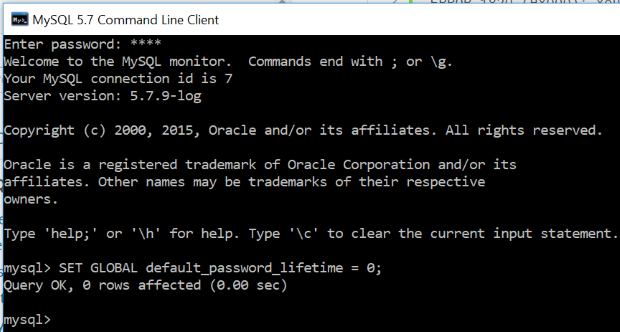
SET GLOBAL default_password_lifetime = 60;A value of 0 disables automatic expiration through the global default:
SET GLOBAL default_password_lifetime = 0;For application-user passwords, use PHP's password-hashing APIs rather than MySQL account-management statements. For database connection examples, see PDO/MySQLi connection.
Related tutorials
Database connections · Error handling · PHP/MySQL overview · MySQL installation · Database administration

Subhendu Mohapatra
Author & Instructor at plus2net
I write and maintain practical tutorials on Python, PHP, SQL, JavaScript, HTML, jQuery, and web development at plus2net. The tutorials focus on clear explanations, working examples, and code that readers can test and adapt while learning.


Subscribe to our YouTube Channel here

 SQL Video Tutorials