Updating Lower case to Upper case char in Entry box
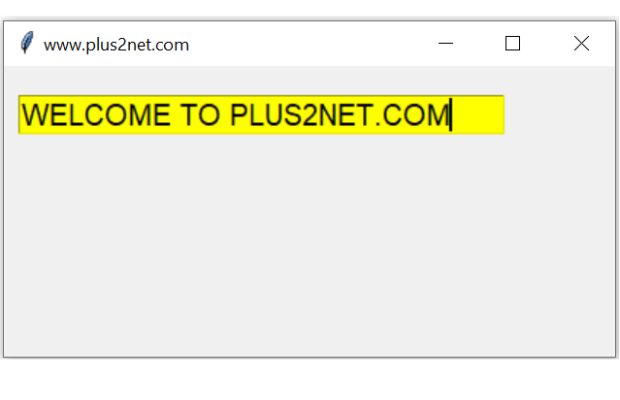
We will use string function upper() to change our string to Upper case chars. Similarly we can use lower() to change all upper case chars to lower.
We used StringVar() to track the changes in textvariable connected to Entry widget.
Tkinter Entry box data from lower case to Upper case and vice-versa as we type or instantly
import tkinter as tk
my_w = tk.Tk()
my_w.geometry("420x200")  # Size of the window
my_w.title("www.plus2net.com")  # Adding a title

def my_upper(*args):
    str1.set(str1.get().upper()) # change to Upper case

str1 = tk.StringVar(my_w) # declare StringVar()

e1 = tk.Entry(my_w,textvariable=str1,font=28,width=30,bg='yellow')
e1.grid(row=0,column=1,pady=20,padx=10)

str1.trace('w',my_upper) # trigger when variable changes

my_w.mainloop() 
Subhendu Mohapatra
Author & Instructor at plus2net
I write and maintain practical tutorials on Python, PHP, SQL, JavaScript, HTML, jQuery, and web development at plus2net. The tutorials focus on clear explanations, working examples, and code that readers can test and adapt while learning.
Connect:


Subscribe to our YouTube Channel here
This article is written by plus2net.com team.
https://www.plus2net.com

12-12-2022 | |
| Hi how are you How to print hard copy of frame data in image format using tkinter python And how to print Treeview data also | |
12-12-2022 | |
| Hi how are you How to print hard copy of frame data in image format using tkinter python And how to print Treeview data also | |
 Python Video Tutorials