Check mysqlnd Support for MySQLi
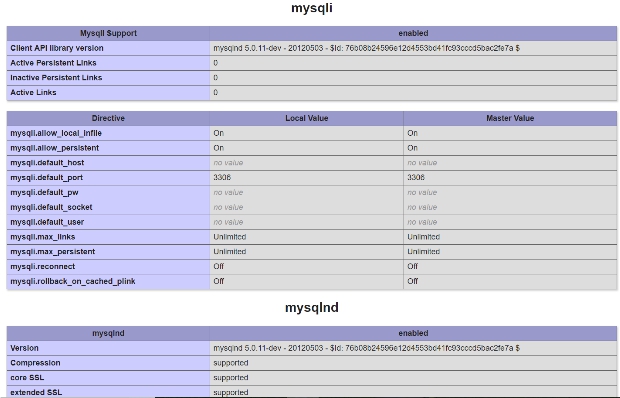
Check whether mysqlnd is being used
mysqli_get_client_info() identifies the client library. This can help when a feature depends on the MySQL Native Driver.
<?php
$client = mysqli_get_client_info();
echo $client;

if (stripos($client, 'mysqlnd') !== false) {
    echo '<br>mysqlnd is in use';
}
?>
Related SQL: SELECT
Enabling or selecting mysqlnd
How mysqlnd is provided depends on the PHP build and hosting platform. Many current PHP installations use mysqlnd automatically. On managed hosting, check the PHP extension or version selector; on self-managed systems, inspect the installed PHP MySQL package and client information rather than assuming a specific cPanel option name.
Use mysqli_get_client_info() or phpinfo() to confirm the client library in use. If a required MySQLi feature is unavailable, verify the PHP build and enabled extensions with your hosting provider or system package manager.
Do not benchmark the driver with a placeholder query
Driver performance depends on the query, result size, buffering mode, PHP build, MySQL server, and network conditions. Measure the real application workload instead of assuming one driver is faster from a synthetic timing snippet.
MYSQLI Functions mysqli_num_rows() Number of rows in result set SELECT query

Subhendu Mohapatra
Author & Instructor at plus2net
I write and maintain practical tutorials on Python, PHP, SQL, JavaScript, HTML, jQuery, and web development at plus2net. The tutorials focus on clear explanations, working examples, and code that readers can test and adapt while learning.


Subscribe to our YouTube Channel here

| Tomas Eriksson | 05-01-2019 |
| This solved my issue, many many thanks! :) | |
