Mark sheet in PDF using data from database
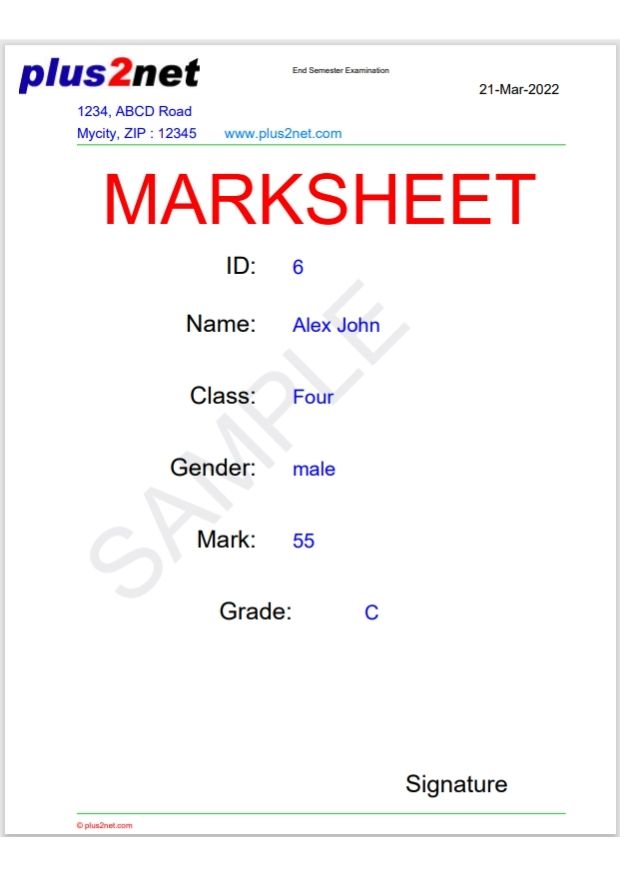
Generate PDF Mark sheet of students using data from SQLite or MySQL table using Python Reportlab
We will create this sample mark sheet by using data from SQLite ( or MySQL ) database student table.
We used two files for this script, the main.py file creates the canvas and uses the template file temp_marksheet.py to generate the PDF file with data.
Copy the source code of these files at the end of this page.
Data Source
We will use SQLite database student table.Script can easily changed to get data from MySQL database table.
Download sample SQLite database with student table
We can also use MySQL database.
Database connection and getting data
We used try except error handling to show error message.from sqlalchemy import create_engine
from sqlalchemy.exc import SQLAlchemyError
db_file='G:\\My drive\\testing\\my_db.db'
try:
file1='sqlite:///'+ db_file
my_conn = create_engine(file1)
# For MySQL use the below line and remove the above lines for SQLite file
#my_conn = create_engine("mysql+mysqldb://root:pw@localhost/my_tutorial")
r_set=my_conn.execute("SELECT * FROM student WHERE id =6")
data=r_set.fetchone()
except SQLAlchemyError as e:
error = str(e.__dict__['orig'])
print(error)temp_marksheet.py
Python PDF
PDFs with Student Information from user input using Tkinter and SQLite Generate PDF Invoice using Sales data Table from different data sources to PDF file Table from Pandas DataFrame to PDF file

Subhendu Mohapatra
Author & Instructor at plus2net
I write and maintain practical tutorials on Python, PHP, SQL, JavaScript, HTML, jQuery, and web development at plus2net. The tutorials focus on clear explanations, working examples, and code that readers can test and adapt while learning.
Connect:


Subscribe to our YouTube Channel here
This article is written by plus2net.com team.
https://www.plus2net.com

 Python Video Tutorials