IIS connecting to Python through CGI

Open Internet Information Services (IIS) Manager
In left panel go to default web site

At center panel check for Handler Mappings

At right panel check for Add Script Map
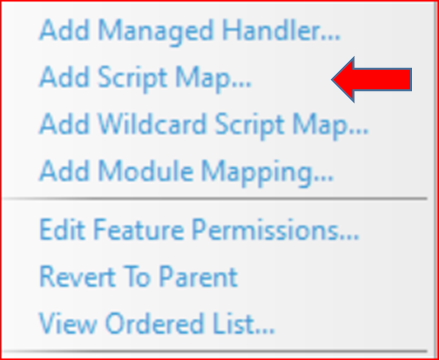
Search for python.exe in your PC

Enter the details as per the above picture. You can browse your PC and select the python.exe in your system.
Go to root of your localhost and create test.py file with this code
print("HTTP/1.0 200 OK\n")
print('Hello World')Hello Worldprint("HTTP/1.0 200 OK\n")
import math
print(math.pi)
Subhendu Mohapatra
Author & Instructor at plus2net
I write and maintain practical tutorials on Python, PHP, SQL, JavaScript, HTML, jQuery, and web development at plus2net. The tutorials focus on clear explanations, working examples, and code that readers can test and adapt while learning.
Connect:


Subscribe to our YouTube Channel here
This article is written by plus2net.com team.
https://www.plus2net.com

 Python Video Tutorials