The <data> tag in HTML5 links a given content with a machine-readable value. This is particularly useful when you want to provide both human-readable and machine-readable data within your web pages.
To use the <data> tag, wrap the human-readable content within the tag and provide the machine-readable value using the value attribute:
<p>The price of the product is <data value="29.99">$29.99 </data>.</p>
Rendered Output:
The price of the product is $29.99.
In this example, the price "$29.99" is displayed to users, while the value attribute provides a machine-readable format that can be utilized by scripts or applications.
You can use the <data> tag to link product names with their corresponding IDs:
<ul>
<li><data value="101">Apple</data></li>
<li><data value="102">Banana</data></li>
<li><data value="103">Cherry</data></li>
</ul>
Rendered Output:
The <data> tag does not have default styling. You can apply CSS to style it as needed:
data {
color: #2c3e50;
font-weight: bold;
}
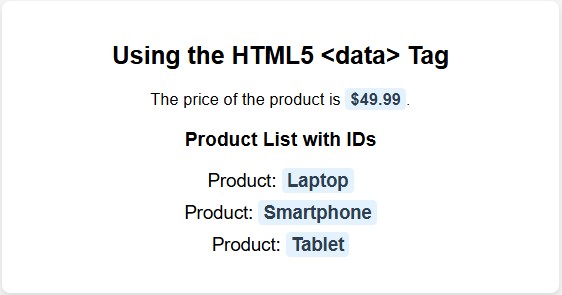
<!DOCTYPE html>
<html lang="en">
<head>
<meta charset="UTF-8">
<meta name="viewport" content="width=device-width, initial-scale=1.0">
<title>HTML5 <data> Tag Example</title>
<style>
body {
font-family: Arial, sans-serif;
margin: 20px;
background-color: #f4f4f4;
text-align: center;
}
.container {
background: white;
padding: 20px;
border-radius: 8px;
box-shadow: 0px 4px 8px rgba(0, 0, 0, 0.1);
max-width: 500px;
margin: auto;
}
data {
font-weight: bold;
color: #2c3e50;
background-color: #e3f2fd;
padding: 2px 5px;
border-radius: 4px;
}
ul {
list-style: none;
padding: 0;
}
li {
margin: 10px 0;
font-size: 18px;
}
</style>
</head>
<body>
<div class="container">
<h2>Using the HTML5 <data> Tag</h2>
<p>The price of the product is <data value="49.99">$49.99</data>.</p>
<h3>Product List with IDs</h3>
<ul>
<li>Product: <data value="101">Laptop</data></li>
<li>Product: <data value="102">Smartphone</data></li>
<li>Product: <data value="103">Tablet</data></li>
</ul>
</div>
</body>
</html>

Using the <data> tag enhances accessibility by providing additional context to assistive technologies, ensuring that both human-readable and machine-readable content are available.
Implementing the <data> tag can improve SEO by providing search engines with structured data, potentially enhancing the visibility of your content in search results.
The <data> tag is a valuable HTML5 element for associating human-readable content with machine-readable data. By using this tag appropriately, developers can enhance data processing capabilities, accessibility, and SEO performance of their web pages.
HTML5 Tags Types of HTML tagsAuthor & Instructor at plus2net
I write and maintain practical tutorials on Python, PHP, SQL, JavaScript, HTML, jQuery, and web development at plus2net. The tutorials focus on clear explanations, working examples, and code that readers can test and adapt while learning.