Think of AI as a capable assistant, not an automatic decision-maker
AI can help professionals research, summarize, draft, organize, compare, analyze and generate ideas. It can also make confident mistakes, miss context or agree too readily with the way a question is framed.
The best results usually come from combining AI speed with human context and verification. A useful starting point is our guide to writing better AI prompts, because clear instructions strongly affect the usefulness of the result.
Understand the terms without getting buried in technical detail
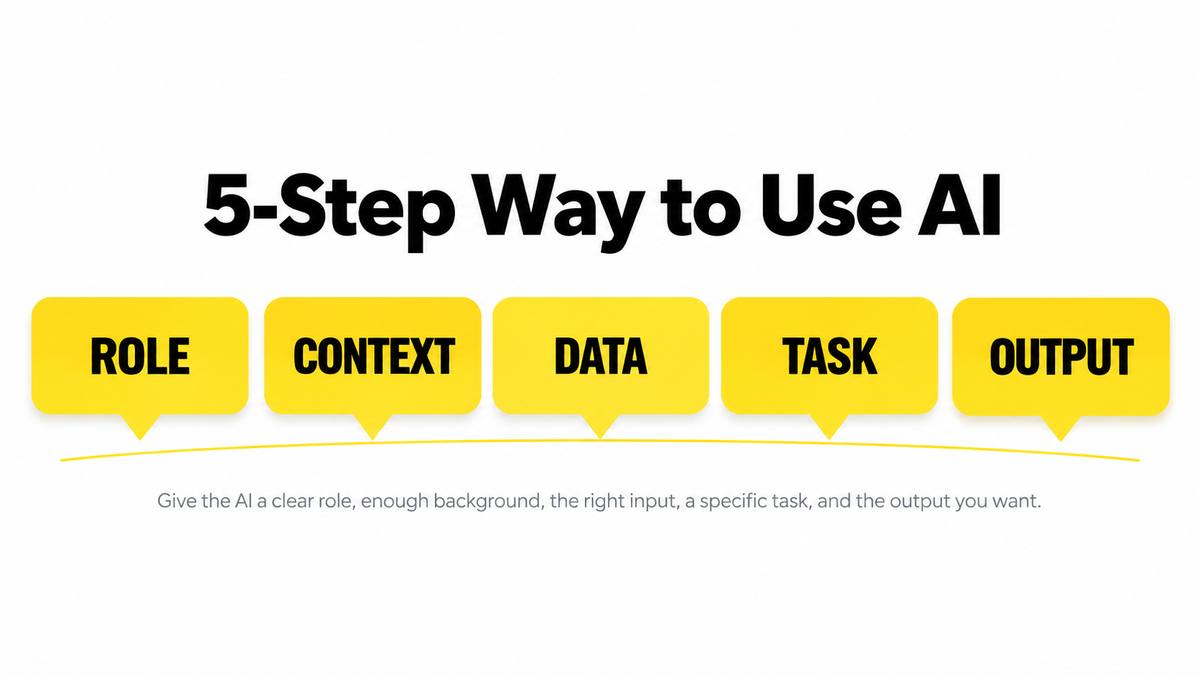
A five-step way to use AI for professional work
- Define the outcome: state what you are trying to produce or decide.
- Give context: add the audience, constraints, source material, examples and required format.
- Ask AI to work in stages: for complex tasks, request a plan or questions before the final answer.
- Review the result: check facts, calculations, citations, assumptions and missing information.
- Refine with your expertise: correct the output and make the final decision yourself.
Where AI can save time without replacing professional judgment
Research & summarization
Summarize source material, compare documents, extract themes and create questions for deeper research. For source-grounded work, tools such as Gemini Notebook / NotebookLM can be useful.
Writing & communication
Draft emails, reports, outlines, FAQs, presentations and alternate versions while keeping the final review with the human author.
Data analysis
Ask questions about datasets, generate analysis code and explore patterns. See the practical AI Data Science Agent guide for a data-analysis workflow.
Planning & comparison
Create decision criteria, compare options, identify trade-offs and list missing information before a decision is made.
Creative work
Brainstorm campaign ideas, visual concepts, scripts, lesson plans and content variations, then select and improve the strongest ideas.
Automation support
Use AI to help describe repetitive processes, draft formulas or code, create checklists and identify steps that may be suitable for automation.
The same AI capability looks different in different jobs
| Area | Useful AI support | Human check still needed |
|---|---|---|
| Marketing | Research, content briefs, campaign ideas, audience questions, analysis summaries | Brand accuracy, claims, positioning, performance interpretation |
| Human resources | Drafting policies, interview-question ideas, summarizing feedback | Bias, legal compliance, fairness and employment decisions |
| Finance | Explaining reports, scenario questions, organizing data and assumptions | Calculations, current figures, risk and regulated advice |
| Education | Lesson outlines, practice questions, examples and differentiated explanations | Accuracy, learning objectives, student needs and assessment integrity |
| Legal | Document organization, issue spotting, drafting support and research starting points | Jurisdiction, current law, confidentiality and professional legal judgment |
| Healthcare administration | Administrative summaries, communication drafts and workflow support | Privacy, clinical accuracy and any decision affecting patient care |
The most important professional AI skill is knowing when to verify
- Hallucinations: AI can produce plausible but incorrect information.
- Freshness: an answer may not reflect the latest rules, prices, interfaces or events unless current sources are checked.
- Missing context: AI does not automatically know your organization, customer, policy or constraints.
- Privacy: do not paste confidential, personal or proprietary information into a tool unless your organization permits it and the tool is approved for that data.
- Bias: output can reflect bias in data, framing or assumptions.
- Sycophancy: a leading question can encourage an AI system to validate your preferred answer. See our guide to AI sycophancy.
Do not ask AI only to confirm what you already believe
For important work, ask questions that make the model challenge the initial assumption:
Do not assume my interpretation is correct.

Identify:
1. The strongest evidence supporting it
2. The strongest evidence against it
3. Missing information that could change the conclusion
4. Alternative explanations
5. What I should verify independently
This does not guarantee a correct answer, but it creates a better review process than a leading question such as “This is clearly the best approach, don't you agree?”
Professional AI checklist
- Did I define the task and audience clearly?
- Did I provide enough context and constraints?
- Did I avoid sharing data that should remain private?
- Are the important factual claims supported by current sources?
- Did I check calculations, dates, names and citations?
- Did I ask what might be wrong or missing?
- Would a qualified human need to review this before it is used?
- Have I edited the final output so it reflects my own responsibility and judgment?
Use AI to improve the quality of your thinking, not to avoid thinking
AI is most valuable when it helps you move faster through research, drafting, organization and analysis while you retain responsibility for the final result. Clear prompts, good source material, verification and professional judgment are more important than simply using the newest tool.